
Reset RTM Codes Billing Status (Unbill RTM Code)
Providers can now un-bill previously billed RTM codes using the 'Reset Billing Status' button.
Step-by-step guide on how to reset the billing status of an RTM code
-
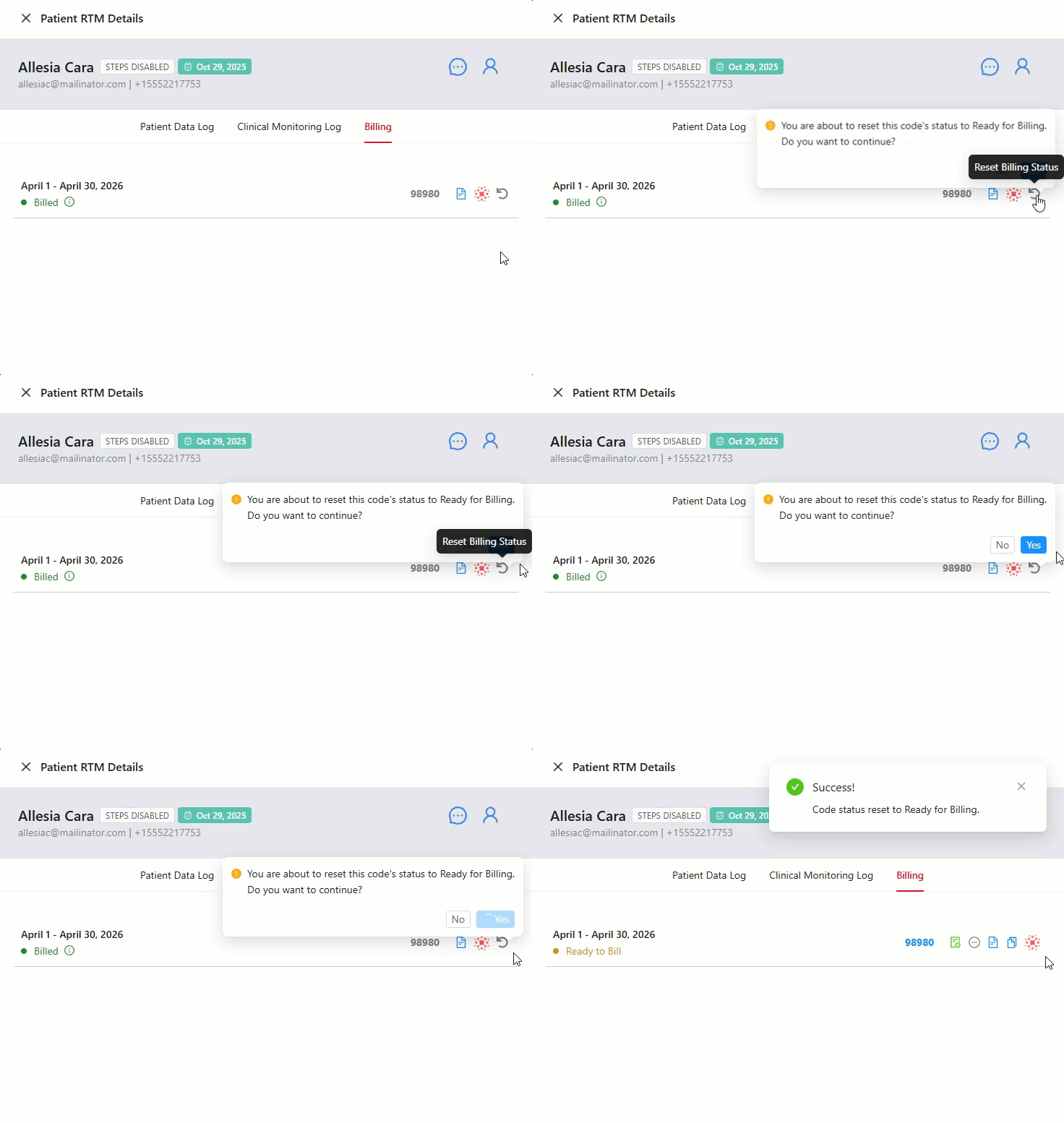
Navigate to the 'Billing' tab on the Patient RTM Details tray to view the available RTM codes. Once a code is billed, select the undo arrow or the 'Reset Billing Status' icon if you wish to reset the billing status of the code/ mark the code as un-billed.
-
A confirmation pop-up will appear — "You are about to reset this code's status to Ready for Billing. Do you want to continue?"
Click 'Yes' to proceed with resetting the billing status of the code.
- Once you selected 'Yes', a pop-up will appear to notify you that you have successfully unbilled the code and the code will be rest to it's original status which is 'Ready to Bill' and that it's ready for billing.
