
Viewing Educational PDFs on the Patient App
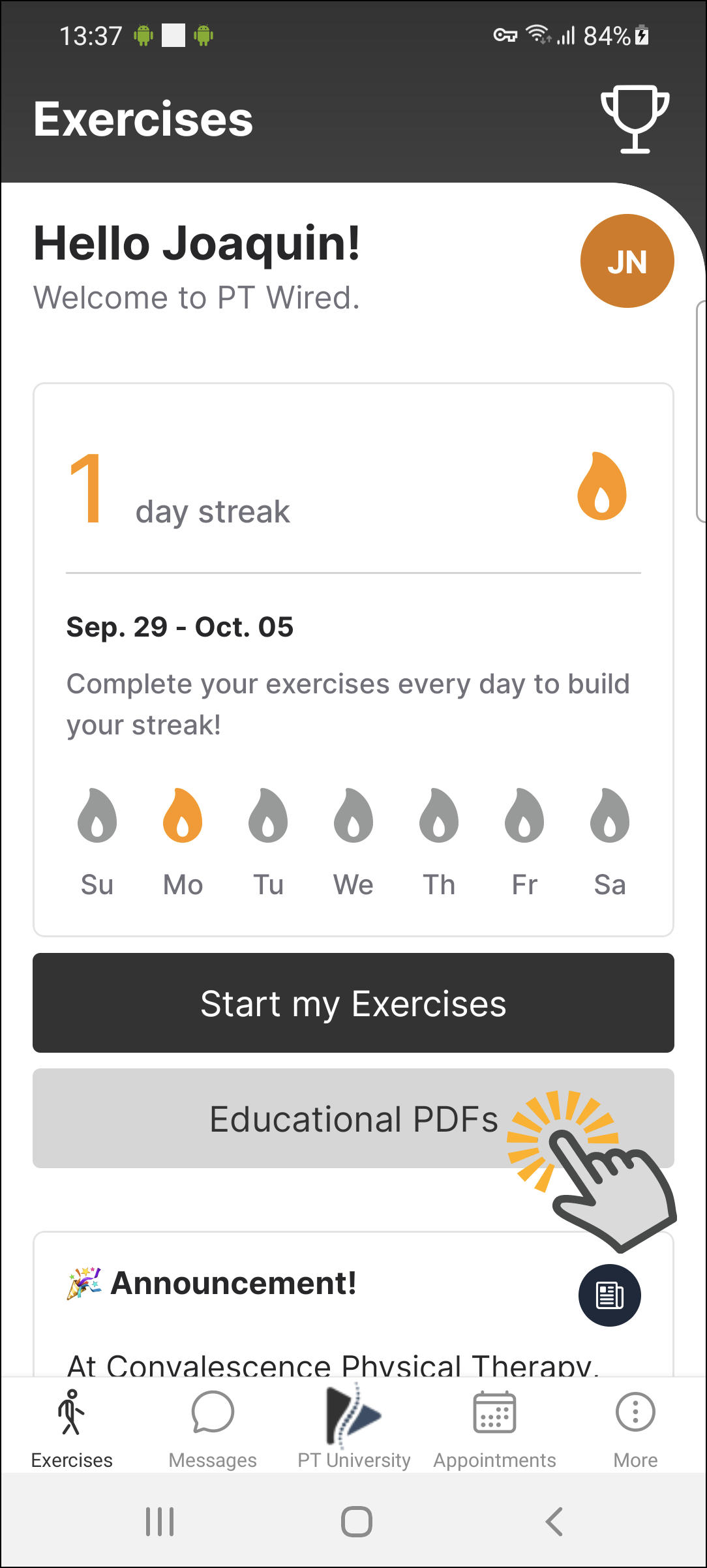
Once your provider assigns an educational PDF to you, you will receive an email notification to inform you. The educational PDF will be accessed on the Exercise page, and can be found below the 'Start my Exercises' tab.
Contents
How to access your Educational PDF on the mobile app
1. Log into the mobile app using your log in credentials, email address/phone number and password.
2. Once logged in, you will land on the 'Exercises' page. This is where you will find your Educational PDF(s), below the 'Start My Exercises' tab.
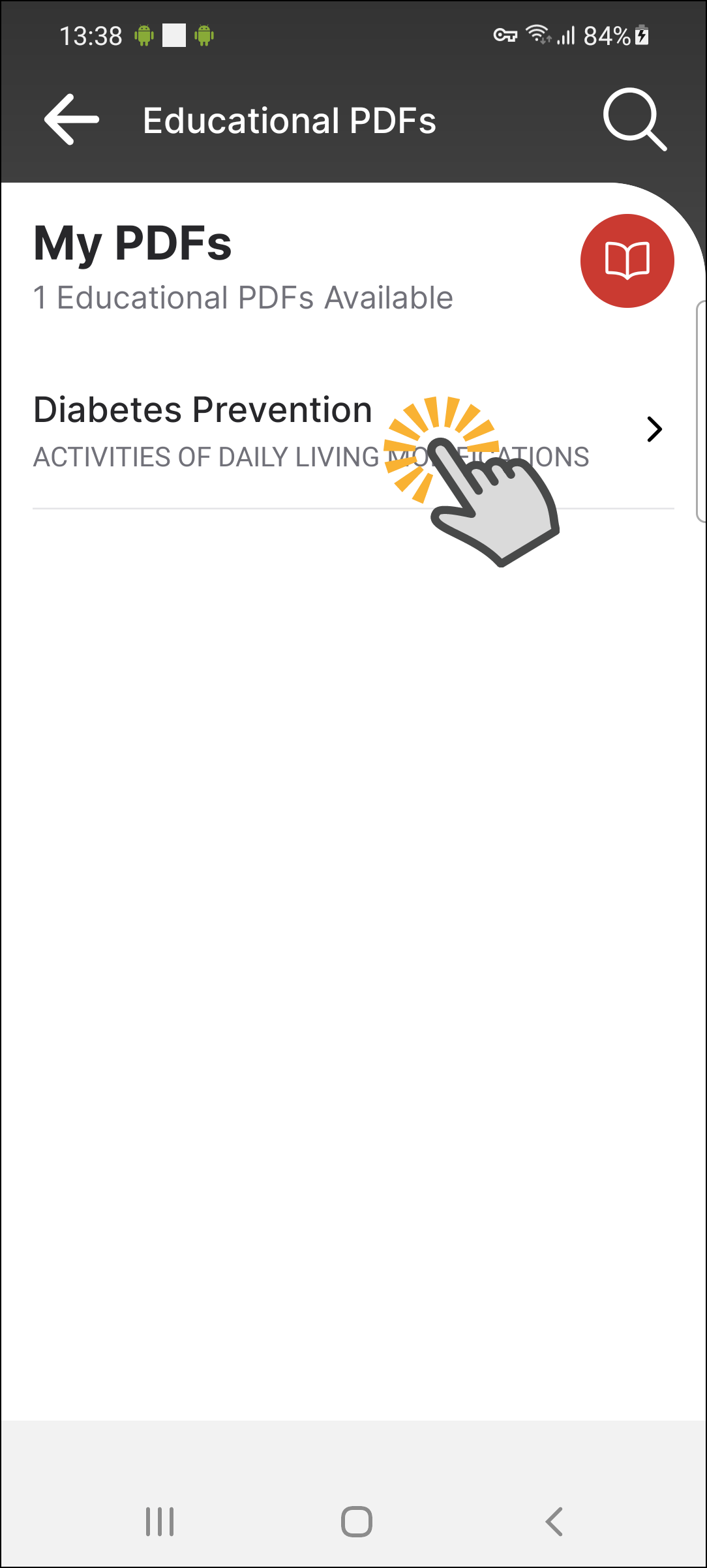
3. The assigned PDF(s) will show up and you can click on a PDF to view.
How to access your Educational PDF on the Patient Web App
1. Log into the web app using your log in credentials, email address/phone number and password.
2. Once logged in, you will land on the 'Exercises' page. This is where you will find your Educational PDF(s), below the 'Start My Exercises' tab.
3. The assigned PDF(s) will show up and you can click on a PDF to view.
4. The PDF will come up and you can scroll down to view the content.