Editing a Child Account
What is a Child Account?
A child account is an additional account created under an existing email address or phone number. It is distinguished by its date of birth as an identifier.
To edit a child account's phone number/email address, a provider must first navigate to the parent account as the child account is linked to it. Alternatively, the provider can access the parent account directly from the child profile using the ‘Edit’ feature.
Below are the steps to edit a child account
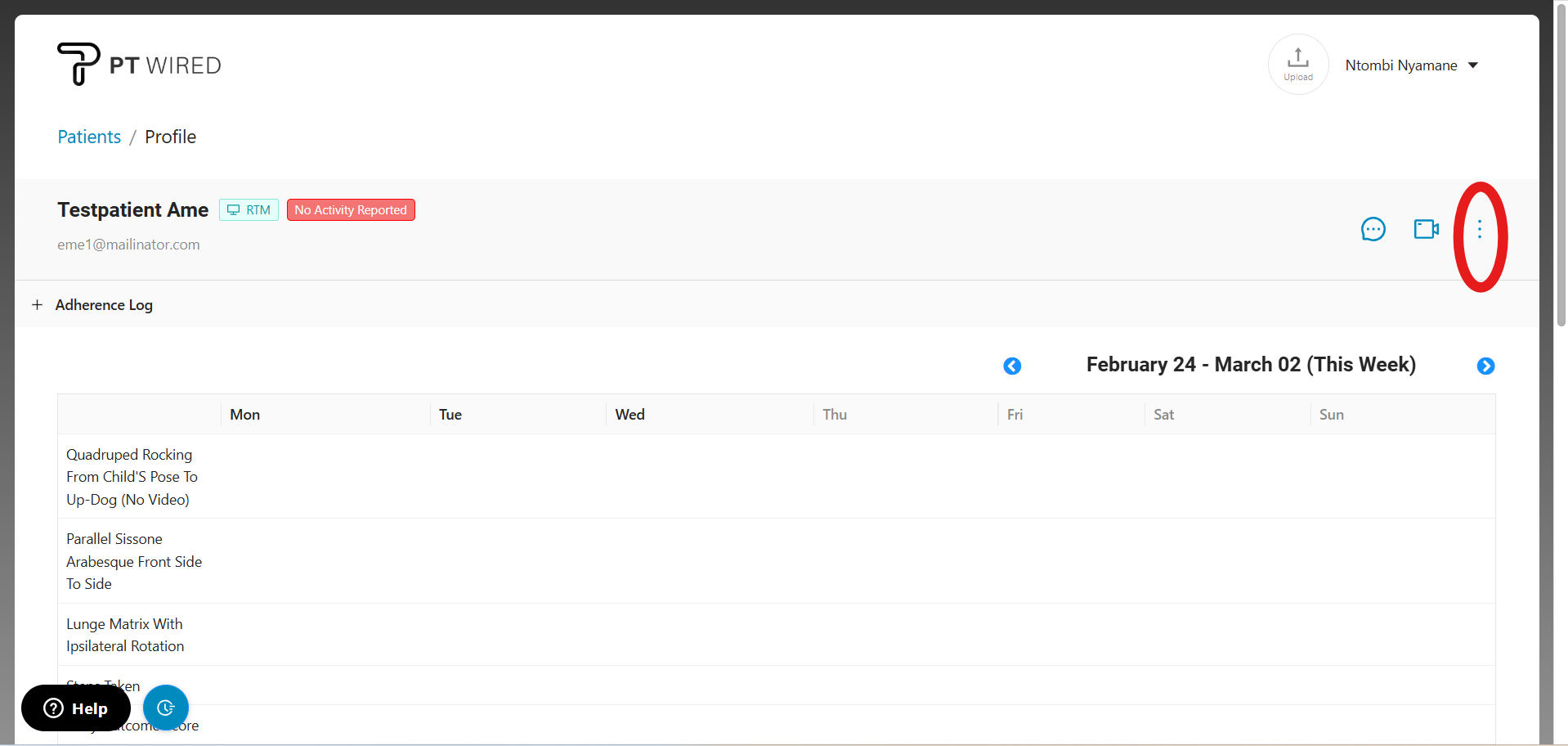
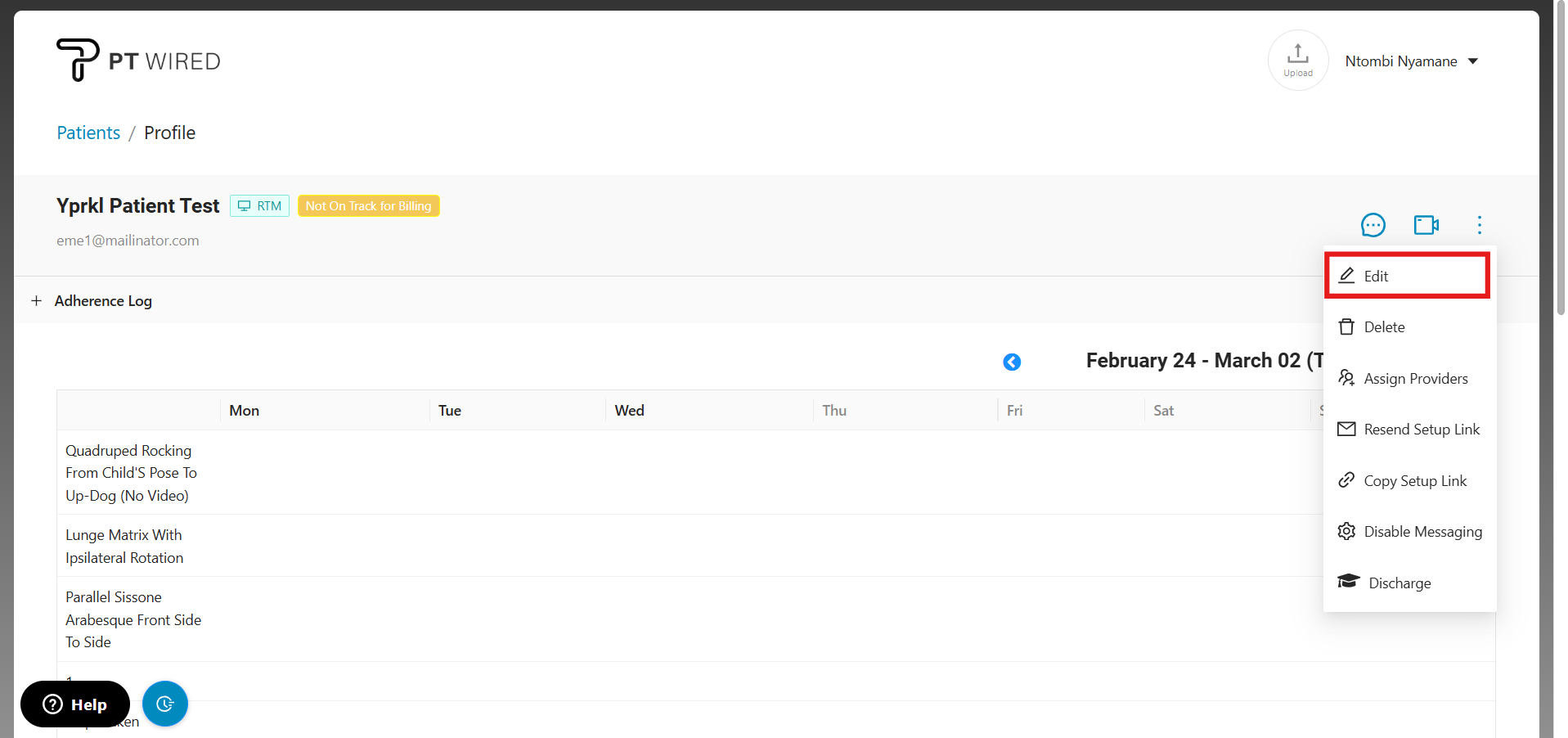
1. Click on the child account card from the patient's page and once in the profile, navigate to the three vertical dots on the right.
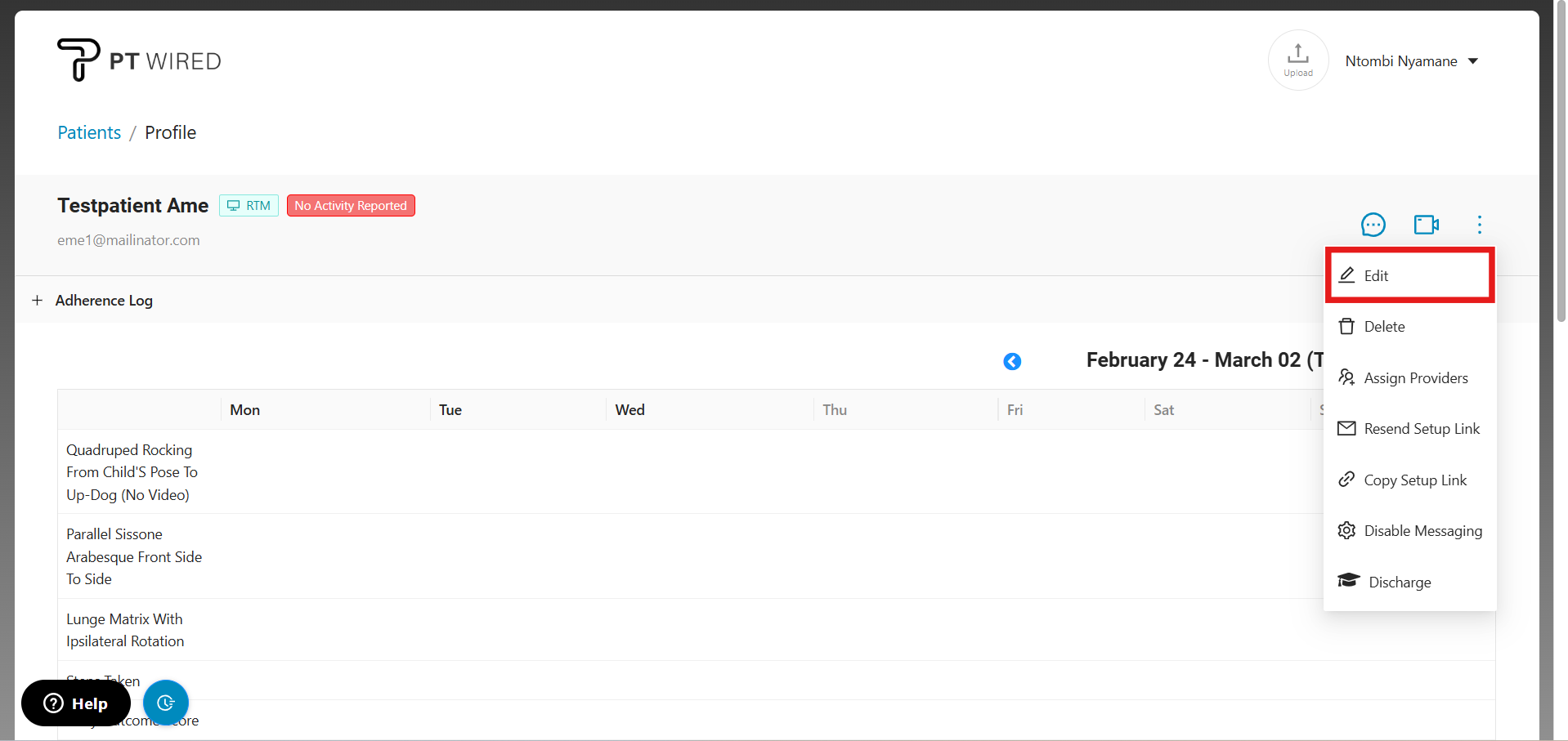
2. Click on 'Edit' at the top of the list.
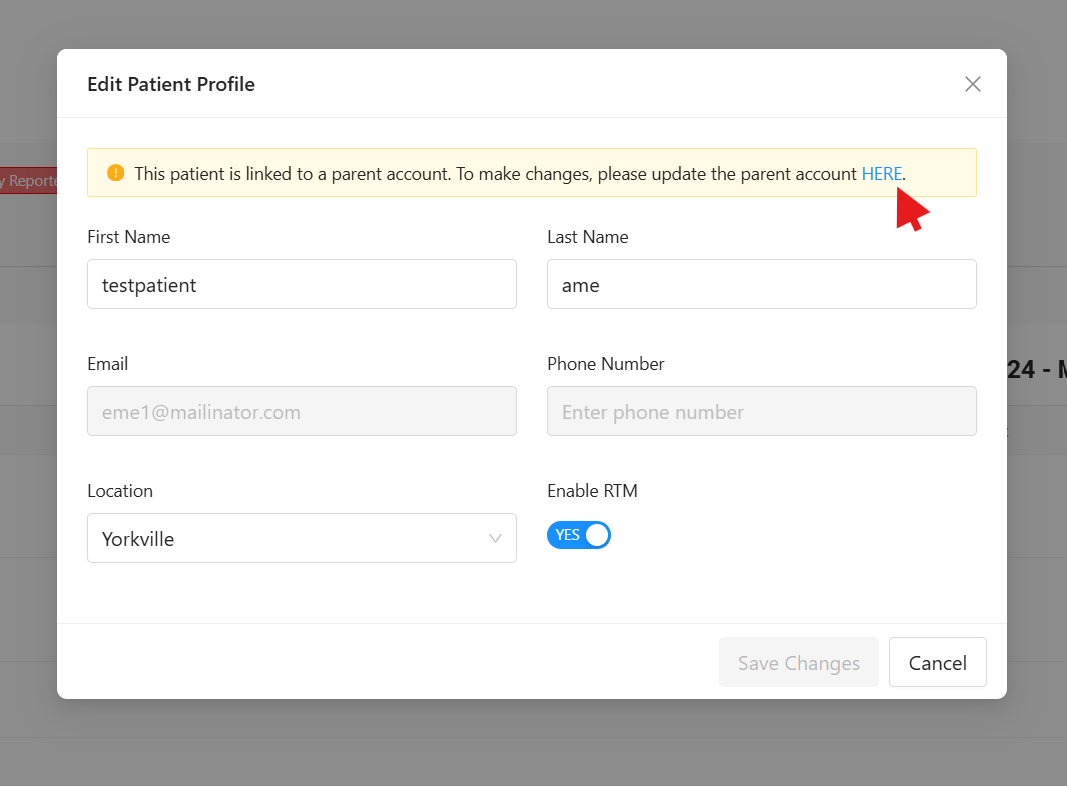
- 'Edit Patient Profile' will pop up. Navigate to the highlighted notification at the top and click on the link "HERE" to be redirected to the child account.
- Once you have been redirected to the parent account/profile, click on the three vertical dots on the right to open the menu and click 'Edit.'
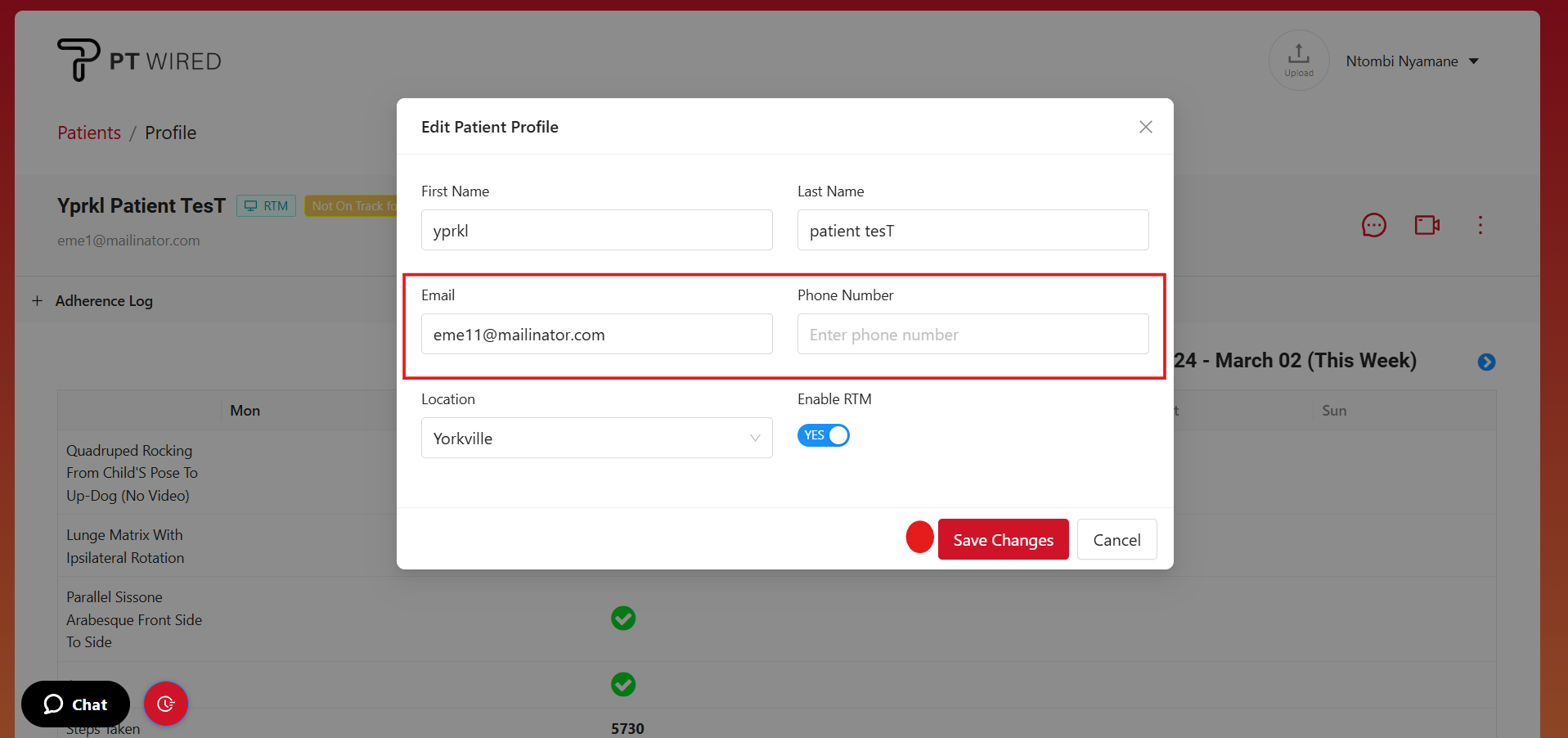
5. After making your changes, click 'Save Changes' to apply and save your edits.