
Parent–Child (Multiple Profile) Accounts
Overview
The Parent–Child (Multiple Profile) feature allows multiple patient profiles to be created under the same email address or phone number (e.g., a parent managing accounts for their children).
This feature works within Engage only and has limitations when used with Prompt EMR integration.
To create a sub-profile, please follow the steps below:
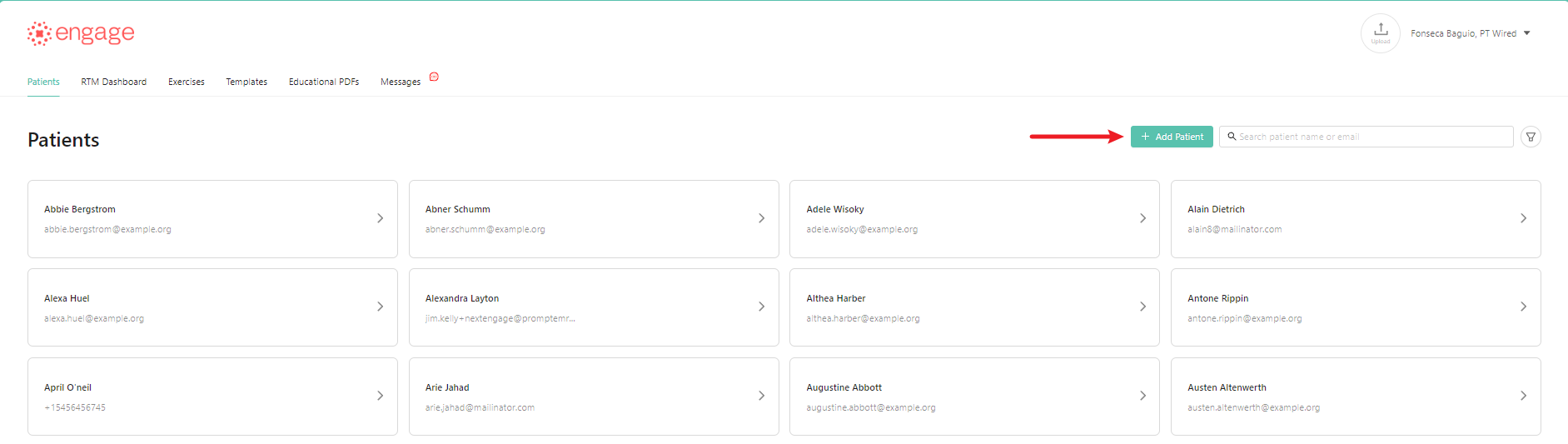
- On the Patients tab, click "+ Add Patient" button.
- Fill in the necessary patient info:
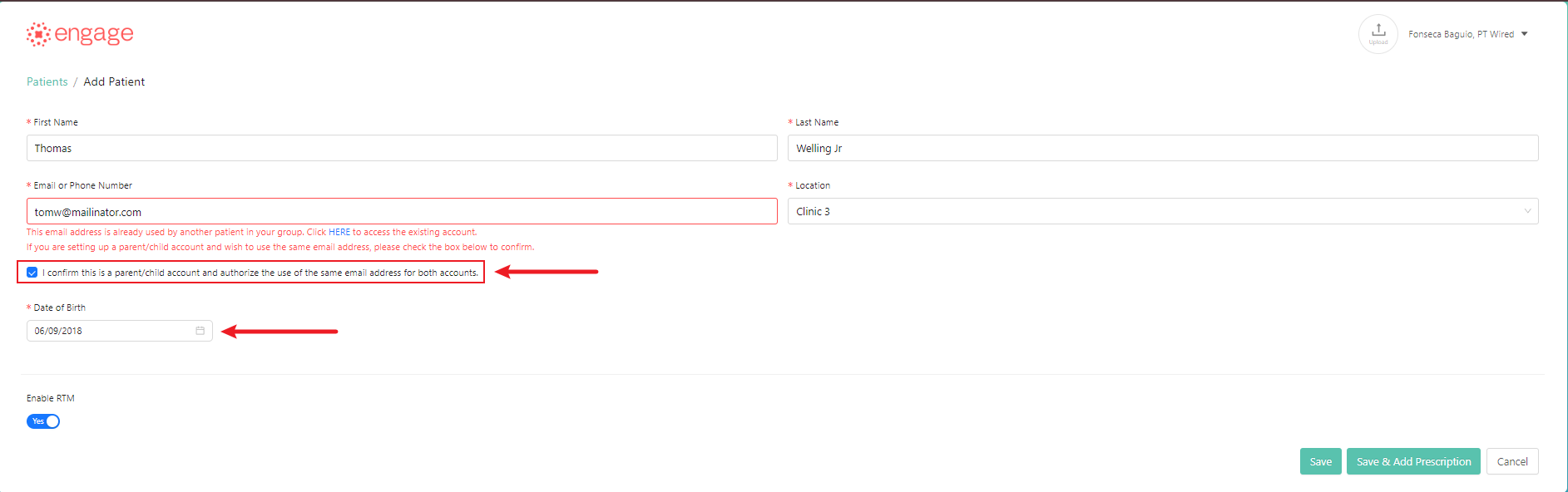
- Check the box to confirm that this is a sub-profile for an existing account in Engage.
- Add the patient's Date of Birth.
- Click "Save/Save & Add Prescriptions".
Important for Prompt EMR Users
⚠️ This feature is not fully supported with Prompt EMR. The Multiple Profile model was created before the Prompt–Engage integration and does not fully sync with Prompt.
What this means:
- Only the main profile is connected to Prompt
- Additional profiles will not sync with Prompt EMR
As a result:
- RTM billing must be done manually
- HEP creation and updates must be managed in Engage
- Changes in Prompt will not sync to additional profiles