
Shared Provider Messaging Between a Single Patient
We are excited to announce the rollout of our new Shared Messaging feature! When enabled, this shifts our platform from fragmented, separate 1:1 patient-provider chats into a centralized, collaborative communication experience.
By unifying communication into a single thread, your entire care team gains real-time visibility, ensuring smoother coordination and better patient care.
📌Important Notes:
- The Shared messaging feature is only available upon the group's request.
- When Enabled✅: The new group messaging replaces the separate 1:1 patient-provider conversations.
- ⚠️We highly recommend explaining the new shared workflow to your entire provider group before requesting Engage to enable the "Enable Thread Messaging" feature.
Contents:
- The Provider Messaging Experience
- The Shared Conversation Model and How it Works
- Open Access & Guest Messaging
- Simultaneous Notifications
- "Join Conversation" Behavior Change
- The Patient Messaging Experience
- Frequently Asked Questions
The Provider Messaging Experience
The Shared Conversation Model and How it Works
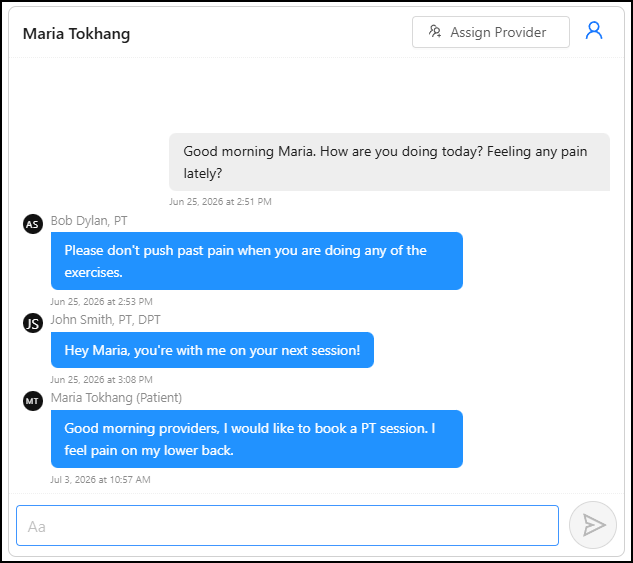
Instead of navigating multiple individual chats with the same patient, all designated providers interact within one centralized thread. This ensures everyone on the care team is on the same page.
Open Access & Guest Messaging
Providers are no longer restricted to viewing only their explicitly assigned patients.
- Universal Visibility: Providers can search for and view any patient conversation when needed.
- Reply as a Guest: Even if unassigned to a patient, a provider can navigate to the Messages tab, click "Access Provider's Messages", and participate in the thread.
-
Note: Accessing or replying as a guest does not alter patient ownership, permanently assign the provider, or modify existing assignments.
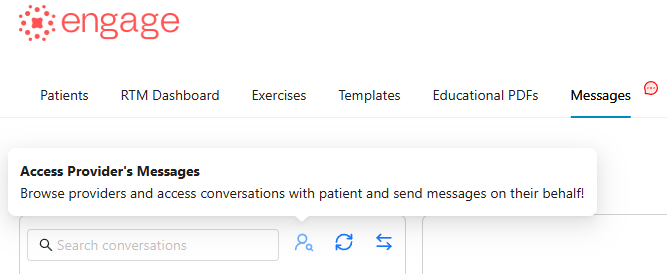
Allows providers to view and access other providers’ message threads without being assigned to patients.
Simultaneous Notifications
When a patient sends a message, all assigned providers receive notifications simultaneously. This removes single-owner dependencies and ensures timely responses.
- To assign additional providers to the patient, click the 'Assign Provider' button.

Real-Time Message Updates for Guest Providers
Collaboration just got a lot smoother. Guest providers actively viewing a patient conversation will now receive real-time message updates directly within the open thread.
"Join Conversation" Behavior Change
-
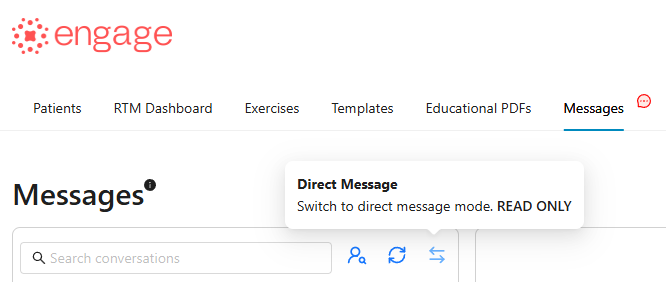
Before, joining a conversation automatically assigns that provider to the patient. Providers can still access legacy direct messages via the 'Direct Message' button but these will be read-only.
- The Shared conversation model: Clicking "Join Conversation" adds the chat to your personal messaging list for quick access, but does not automatically assign you to the patient.

The Patient Messaging Experience
The patient mobile & web experience has been intuitively redesigned to give patients clarity on who they are speaking with.
Existing Patients with historical message data
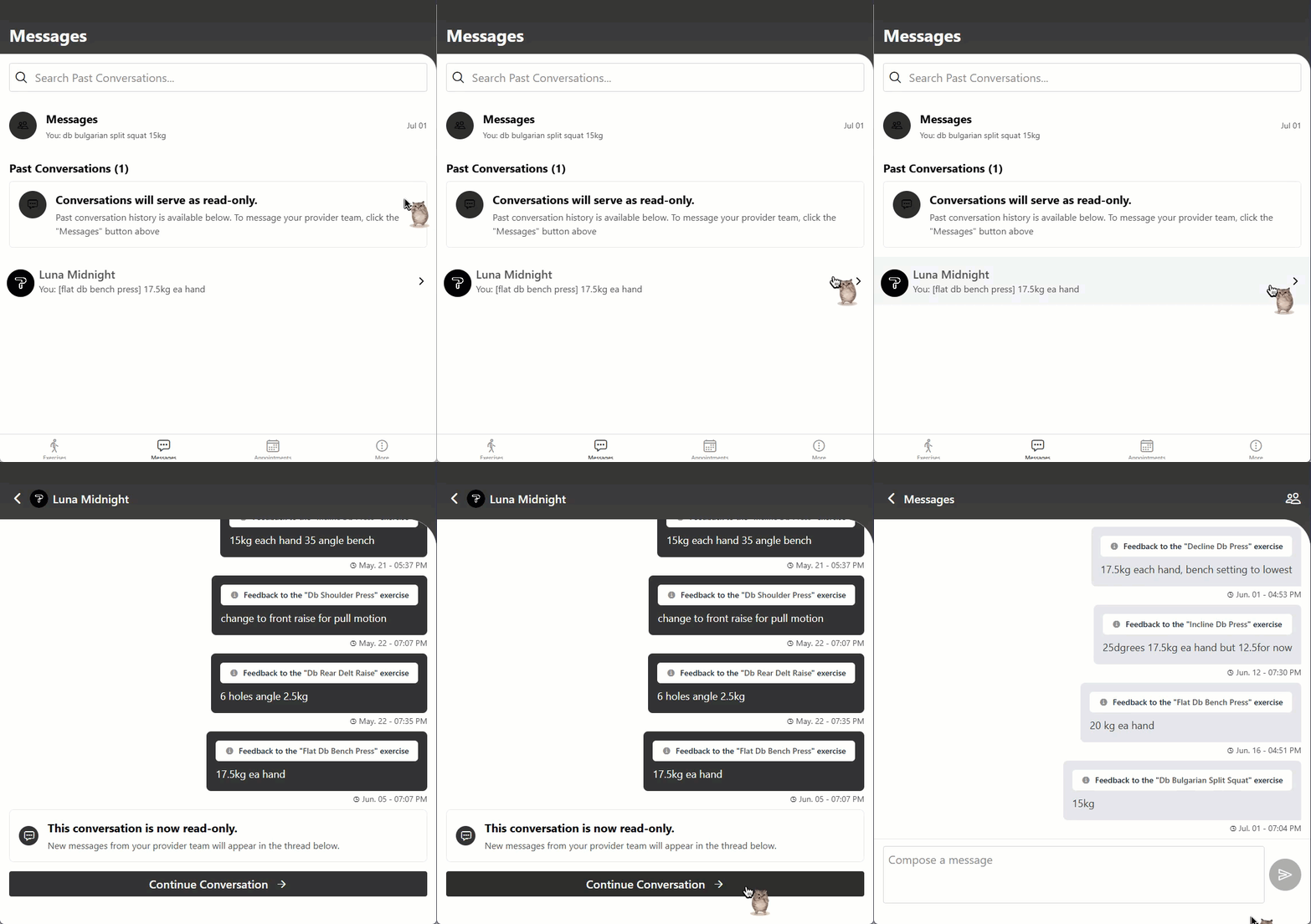
These patients will see a Past Conversations section to reference old chats, accompanied by the notice: "This conversation is now read-only. New messages from your provider team will appear in the thread below."
- Selecting Continue Conversation takes the patient into the active group messaging thread.
New Patients with no historical records
These patients will be taken directly into the active group conversation.
- Clear Provider Identification: Every message sent by a provider explicitly displays their Name and Credentials so patients always know who is responding.
- Patient Labeling: Messages sent by the patient are clearly labeled Patient to distinguish them from clinical staff inside the thread.
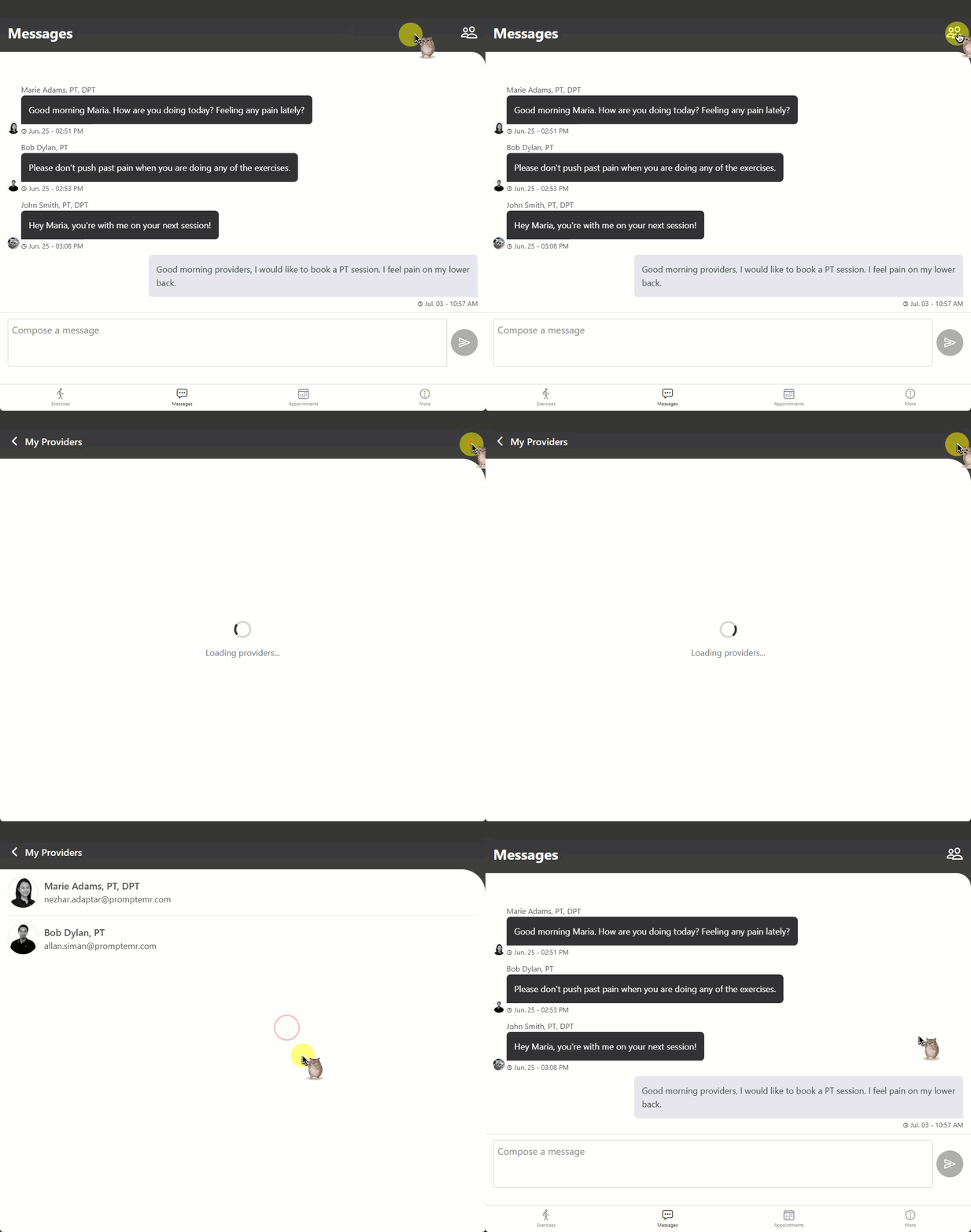
- My Providers List: Patients can tap the icon in the top-right corner of their Messages screen to view their full care team via the My Providers screen.
❓ Frequently Asked Questions
Q: Does enabling Group Messaging migrate old conversations?
A: No. Existing 1:1 conversations remain available as read-only records for historical reference. All new communication occurs within the new group thread.
Q: If a provider opens or replies to a patient's conversation, are they automatically assigned to that patient?
A: No. Sending a message, viewing the conversation, or participating as a guest does not automatically assign the provider to the patient. Providers must manually click the Assign button to assign themselves to the patient and receive messages as an assigned provider.
Q: Will all assigned providers receive notifications for new patient messages?
A: Yes. All assigned providers attached to the conversation will receive notifications simultaneously.
Q: Can guest providers participate in a group conversation?
A: Yes. Guest providers can join and participate in the conversation without becoming assigned to the patient. Guest providers actively viewing a patient conversation will now receive real-time messages without exiting and re-entering the conversation.
Q: Can Group Messaging be turned off if it doesn't fit our workflow?
A: Yes. Turning off the Enable Thread Messaging toggle in Super Admin reverts the system back to 1-on-1 messaging behavior.
Important consideration before disabling Group Messaging: Disabling Group Messaging after it has already been enabled will reset the messaging threads. Messages exchanged while Group Messaging was enabled will not appear in the new 1-on-1 thread.
This occurs because Group Messaging and 1-on-1 (Legacy) Messaging use separate messaging threads. Even when the same users are involved, messages are tied to the thread structure that was active when they were exchanged. When Group Messaging is disabled, the system creates a new 1-on-1 thread rather than carrying over the existing Group Messaging history.
As a result, we recommend carefully considering this behavior before disabling Group Messaging, as messages from the Group Messaging thread will remain separate from the newly created 1-on-1 conversation.