
Billing for RTM Code
Billing for Remote Therapeutic Monitoring (RTM) codes can feel complex, but it’s also a game-changer for providers. With the right approach, these codes open opportunities to track patient progress, improve outcomes, and get reimbursed for the time and technology invested.
Contents
When an RTM Code is ready for billing, how can I access to the supporting documentation and bill the RTM Code?
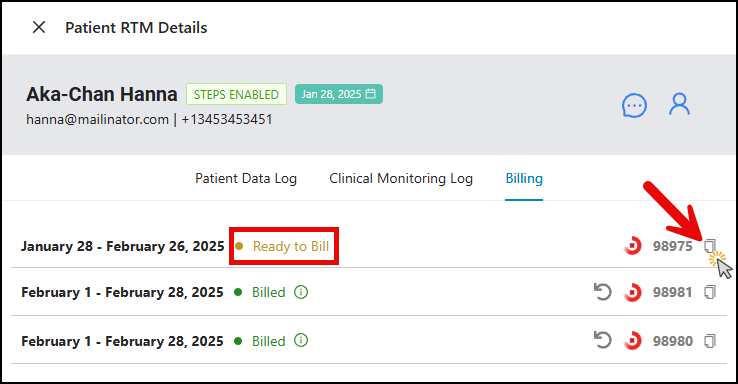
- Simply select the patient's card which is marked "Ready for Billing." Click the "Document" icon next to the code.
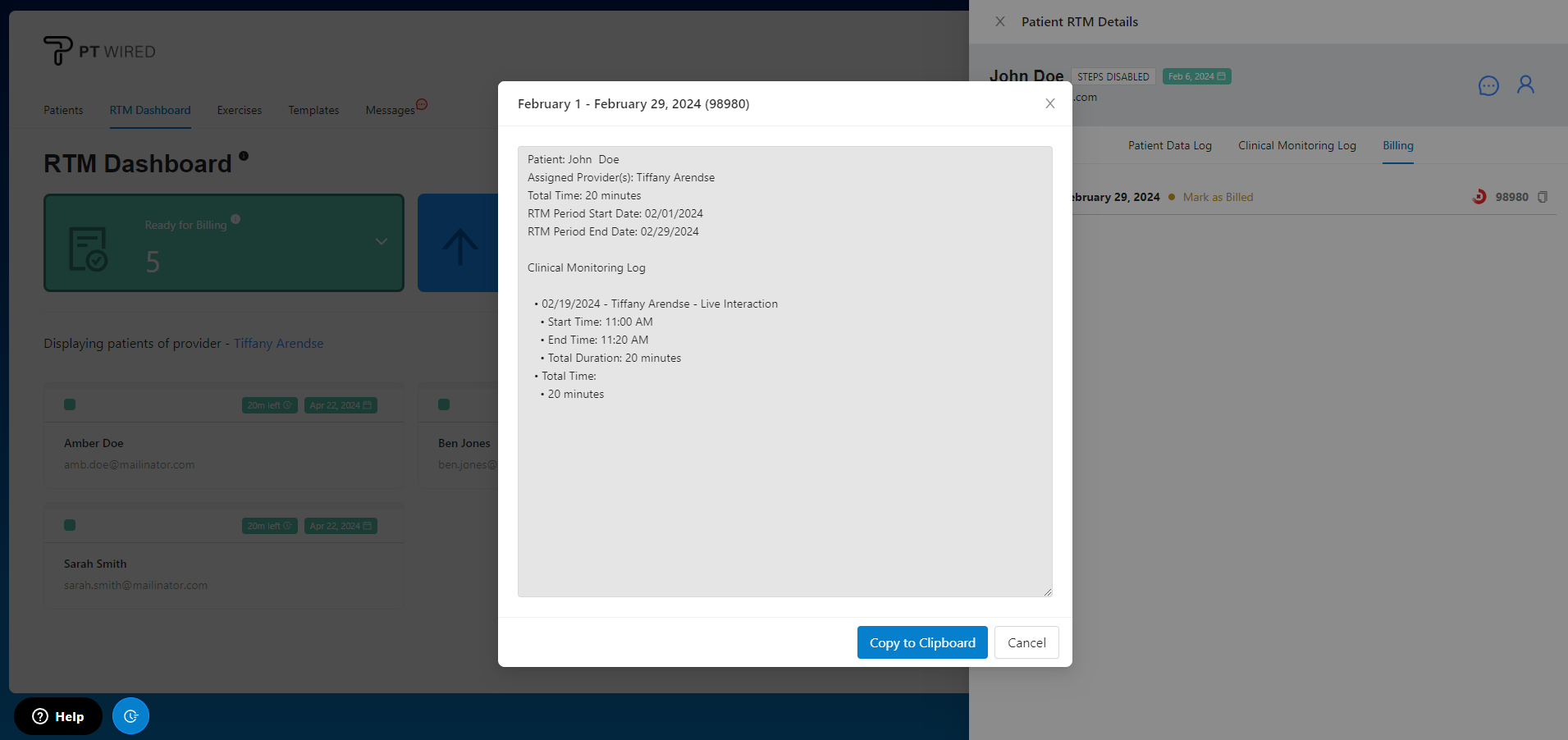
- A secondary pop-up will appear with the supporting documentation for that code. Hit the "Copy to Clipboard" button to copy the full supporting documentation log which you are then able to paste into your patient's EMR, your billing software or notes.
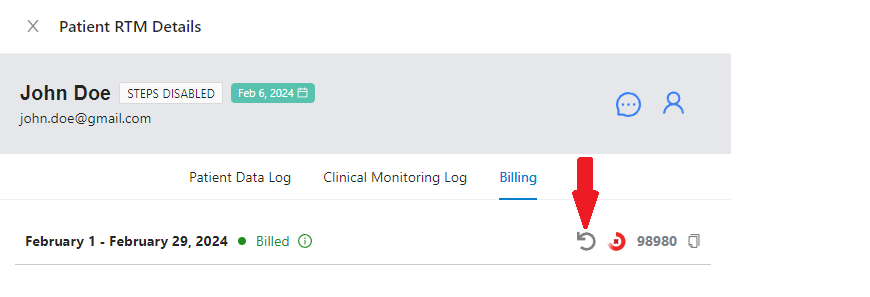
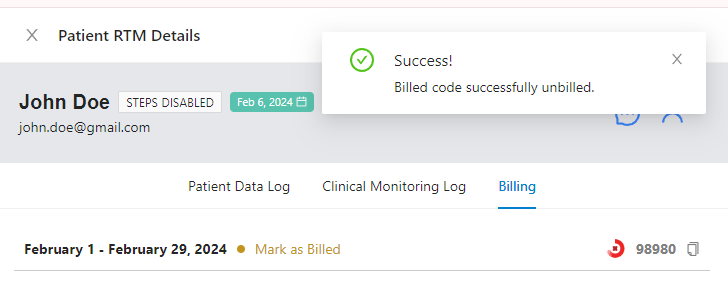
- Once a code has been successfully billed, the status will change from 'Ready to Bill' to 'Billed'. If you wish to reset the billing status of the code, or un-bill the code, simply click on the undo arrow and select 'Yes' on the pop-up.
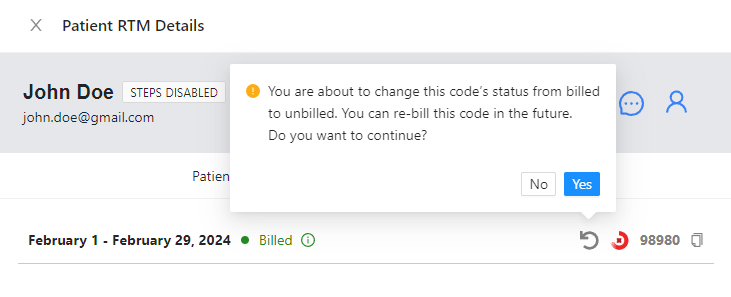
- A pop-up will appear notifying you that you have successfully un-billed the code and it will be set back to it's original state.
When to Bill the RTM Codes?
- 98985: As soon as it is no longer possible to hit 16 days of data points within a 30 day period - though 2+ data points have been met.
- 98975: Bill code 98975 as soon as code requirement is met. You can add CPT 98975 to any visit occurring after the second day of the active Plan of Care. Once per episode of care.
- 98977: As soon as the patient has collected data points on 16 days out of the 30 day period; once per 30 day period.
- 98979: Bill code 98979 as soon as the code requirement is met and if you think you won't be able to hit requirement for codes 98980 & 98981.
- 98980: Bill code 98980 as soon as the code requirement is met if you think you won't be able to hit requirement for code 98981.
- 98981: billed multiple times per calendar month, as soon as any additional 20 minute blocks of RTM service time has been accrued by the provider.
- 98980 & 98981: These codes must be billed together. If billed separately, code 98981 will be denied. To avoid this, we recommend waiting until the end of the month to bill 98980. This allows providers to verify if they have met the requirements to bill 98981, ensuring both codes can be submitted together. Another option would be to bill 98980 when it becomes eligible, then do an addendum to add 98981 when the requirements are met later in the month.
Time-sensitive Billable RTM Codes Email
Providers will receive a time-sensitive email for billable RTM codes 3 days before the end of the month.
In the below image, the date the email was received is September 27th, and contains a message reading:
"You have met the requirements to bill RTM codes ... but have not yet marked the codes as "Billed" in Prompt Engage.
We are nearing the end of the calendar month. To avoid any billing difficulties, we highly recommend billing these codes before the end of the month."
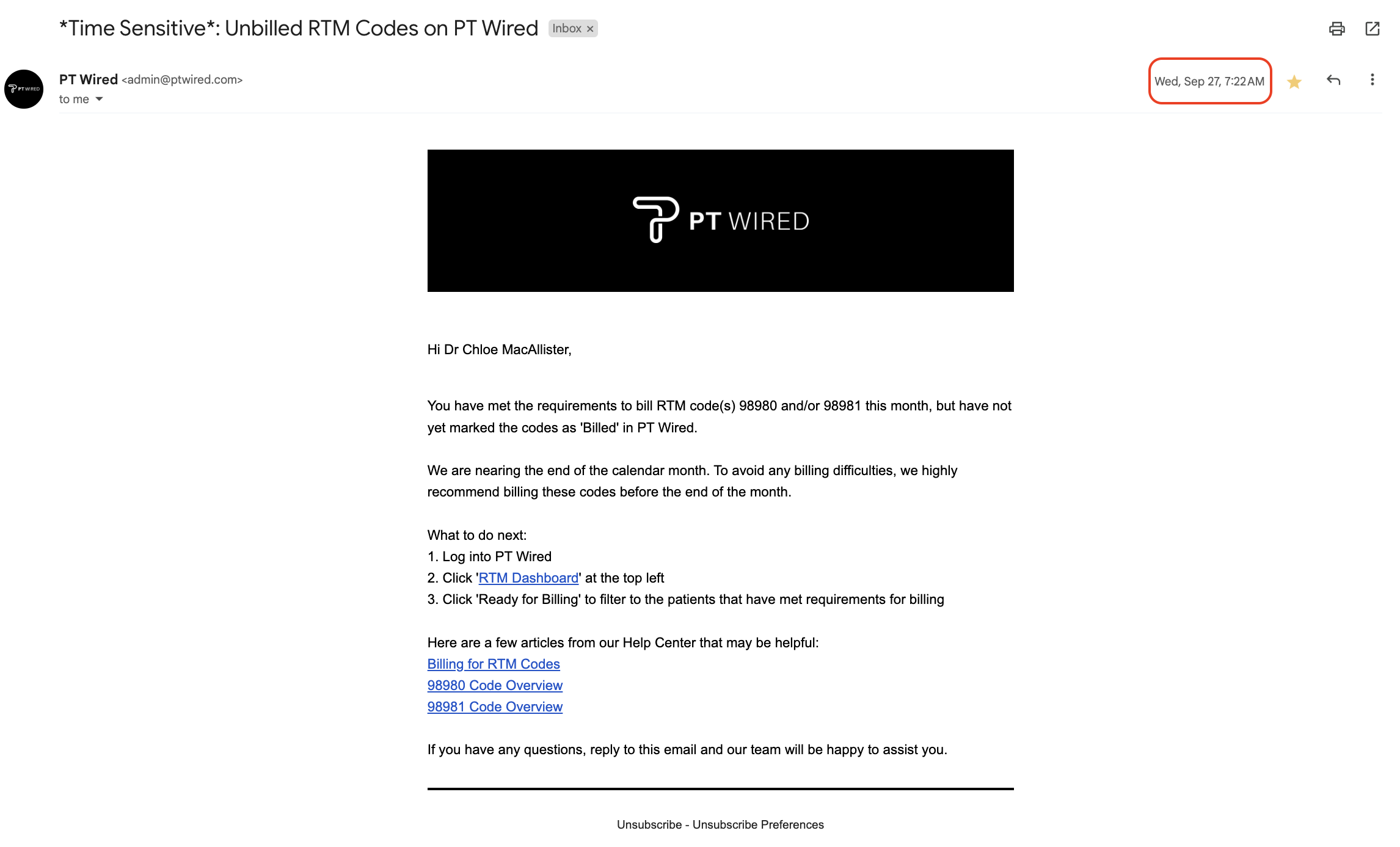
The email also contains instructions on what to do next, as well as links to our Help Center articles on Billing RTM Codes and the specific codes that can be billed.