
Case Level Structure for Engage Patients
To align with Prompt EMR’s Case-level data for RTM status, discharge, and HEPs, Engage now supports Case-level data structure for Patients in Engage.
Contents:
📌 Important Notes:
- Engage supports both legacy and the new Case-level structures without disrupting workflows or integrations.
- The new Case-level structure is currently on the Phase 1 release and rolled out to a limited number test groups.
Legacy vs Case-Based Structure
Case-level data Patient Profile
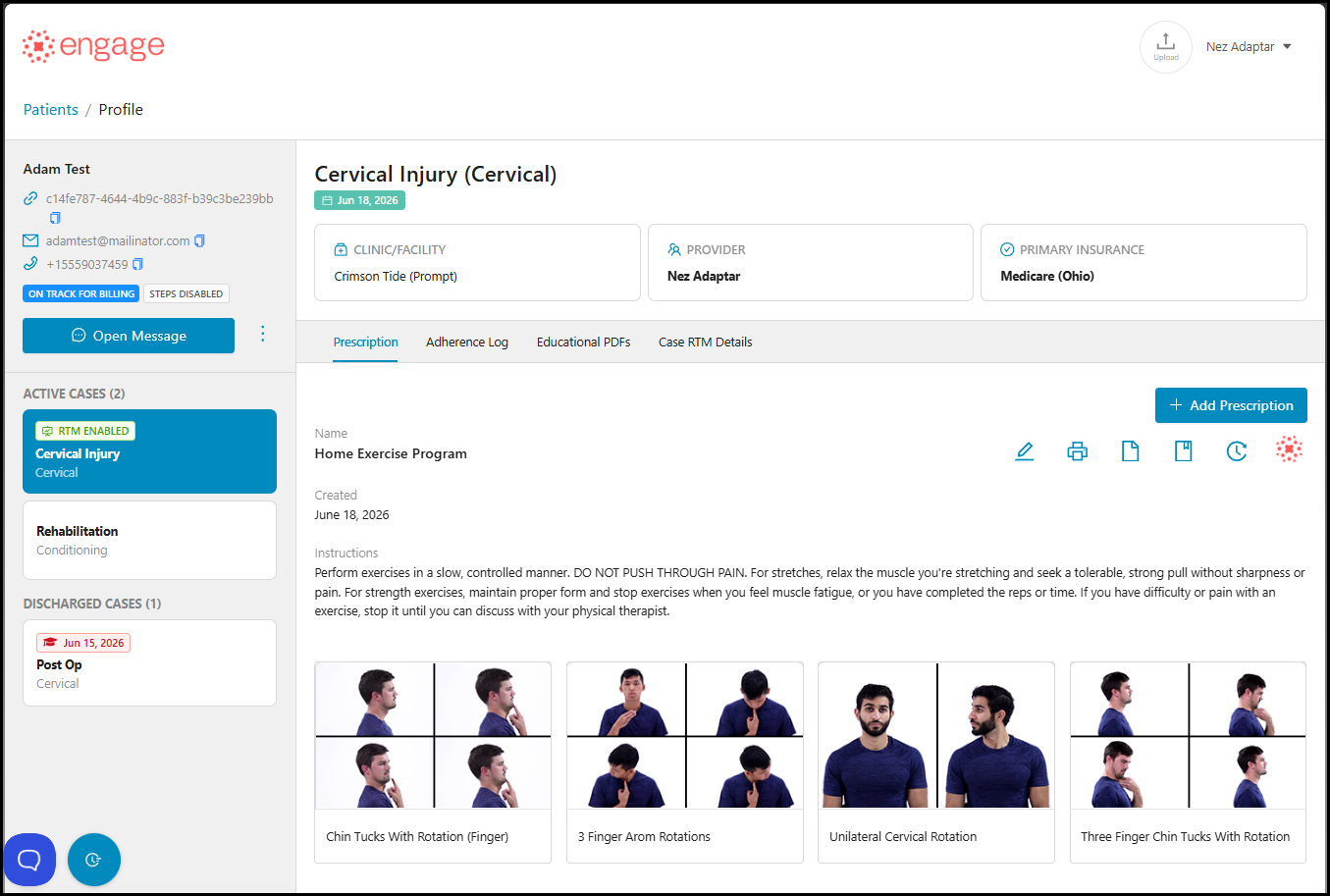
- Only newly created patients from Prompt will be automatically converted to the new Case-level structure. Engage will display all associated Cases on the 'Cases' section of the patient's profile:
- An RTM-enabled Case
- Active non-RTM Cases
- Discharged Cases
- Existing legacy patients (associated with a Prompt Case ID), will not be auto converted to the new Case-level structure.
- Facility, Provider, Insurance data are pulled from Prompt EMR in real-time.
After clicking an active Case, the system will display all relevant information such as the Assigned Case Provider, Facility and Primary Insurance.
Case-level RTM Details
📌Important: With this change, RTM Status will now be assigned at the Case level, not the patient level. A patient may have multiple Cases, but only one Case may be RTM-enabled at a time.
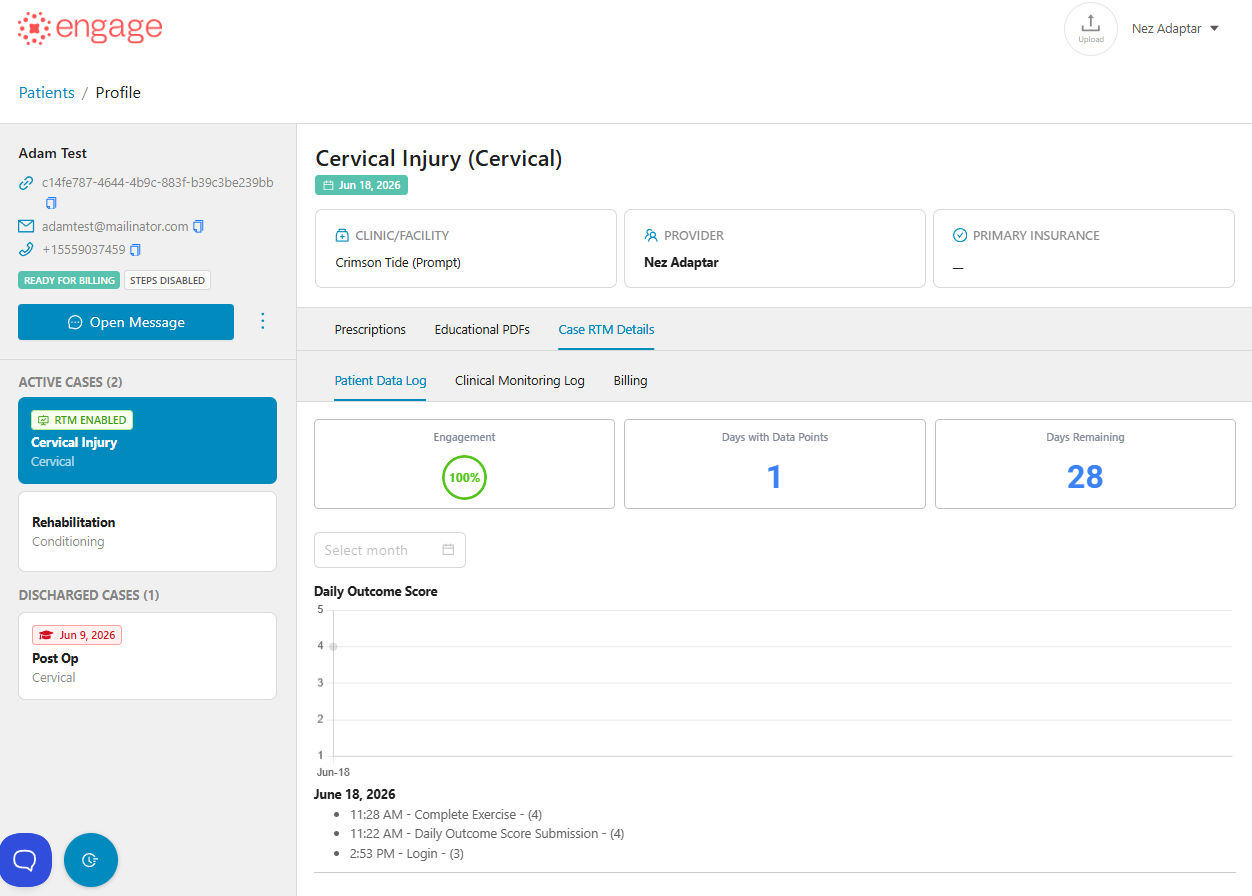
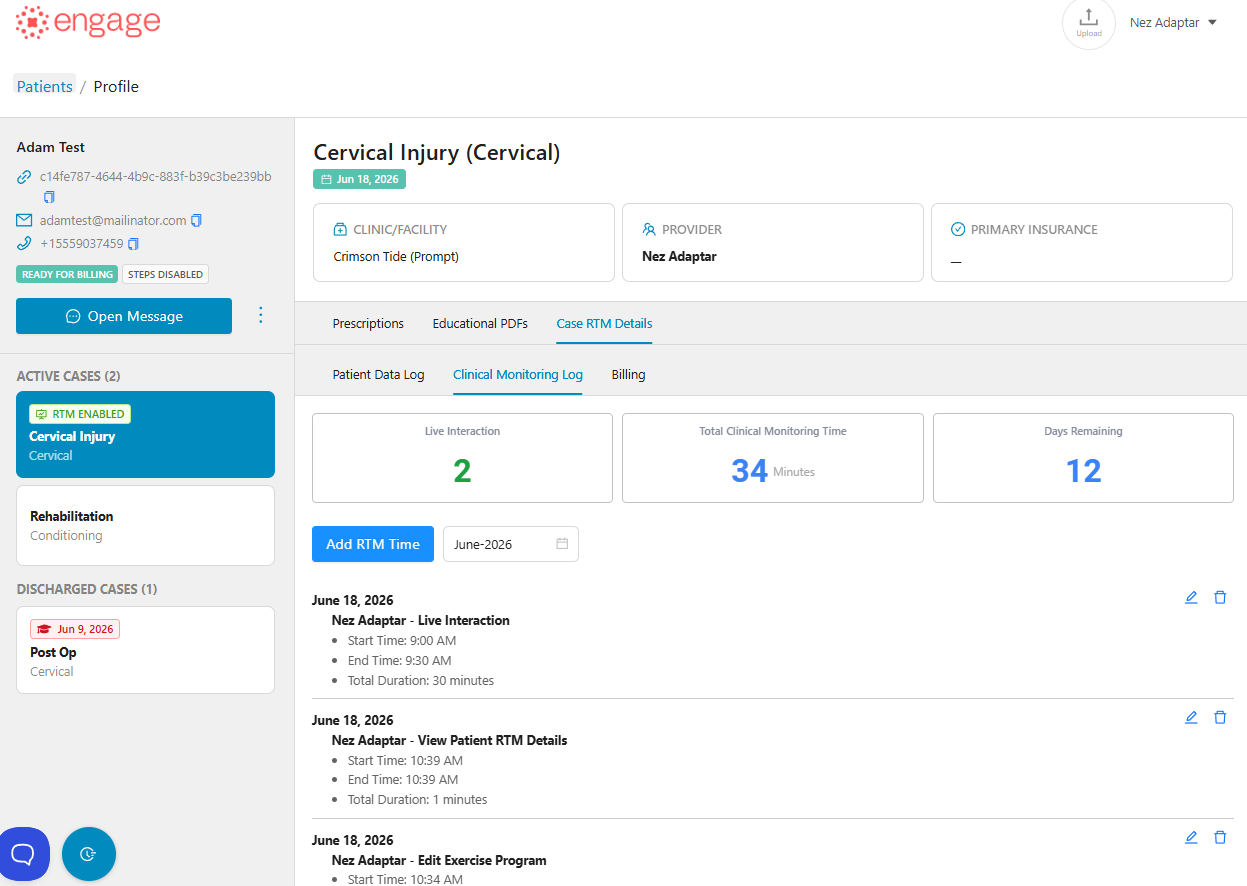
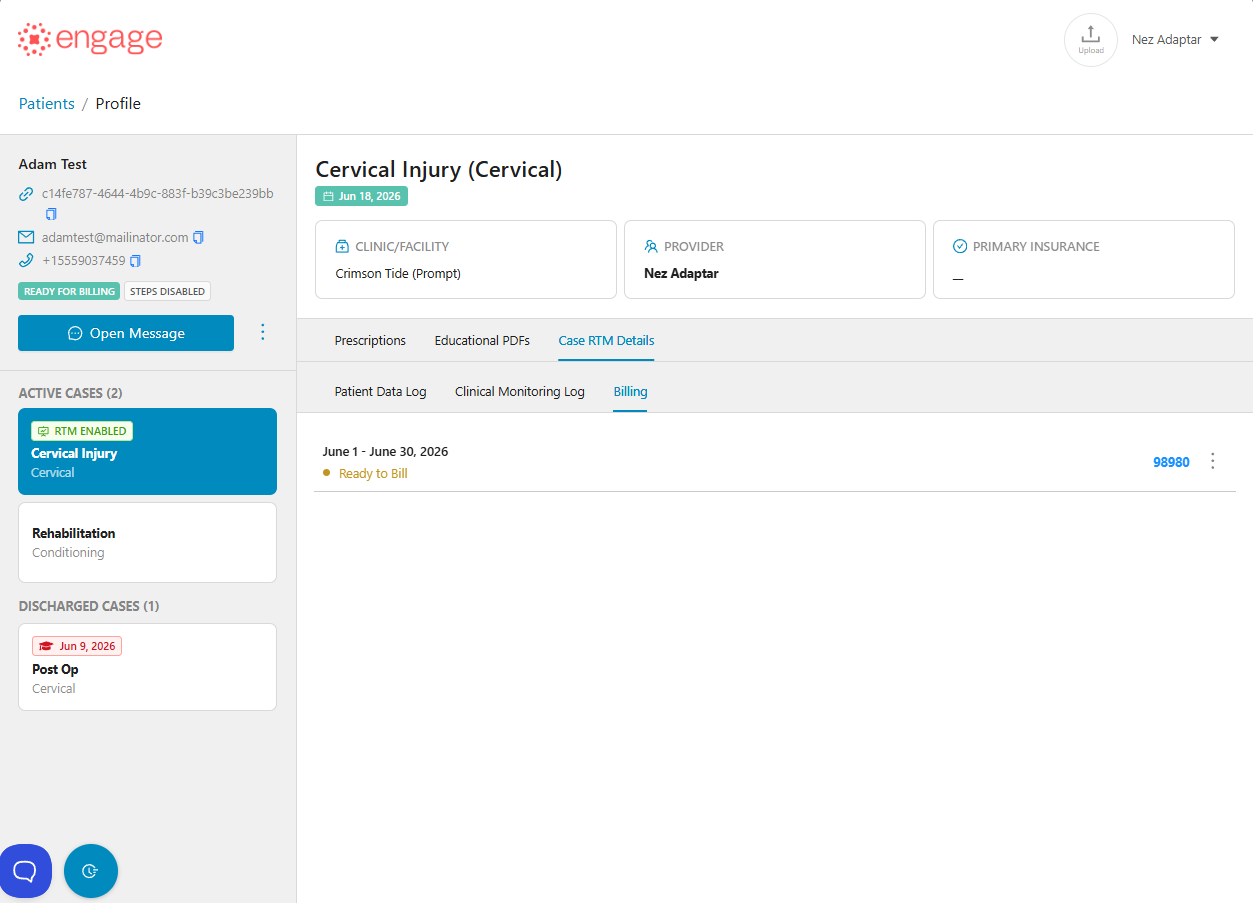
To view the patient's RTM data, click the 'Case RTM Details' tab to view the Patient Data Log, Clinical Monitoring Log and Billing information.
-
It is no longer possible to update a Case's RTM Status directly within Engage. This change was made to eliminate RTM status inconsistencies between Prompt EMR and Engage.
Prompt EMR is the source of truth for every Case. To update a Case's RTM Status, make the change in Prompt EMR and it will automatically sync to Engage.
- Any RTM updates for legacy patients in Prompt will be handled on the patient-level automatically in Engage, or Engage will guide the user to migrate to the Case-level structure during Phase 2.
- RTM enrollment begins once RTM is enabled for the case and an HEP has been assigned. If an HEP is already assigned when RTM is enabled, enrollment begins on the RTM enablement date.
Patient Data Log
Clinical Monitoring Log
Billing Log
Manual Patient Creation, HEP Creation and Editing
👍 Engage still allows Prompt group providers to manually add patients into Engage, but we recommend only adding patients manually if they do not exist in Prompt EMR. Manually added patients will not be linked for integration workflows.
- A Case ID is required for all HEP creation, updates, and submissions. HEPs cannot exist without a Case.
Educational PDFs
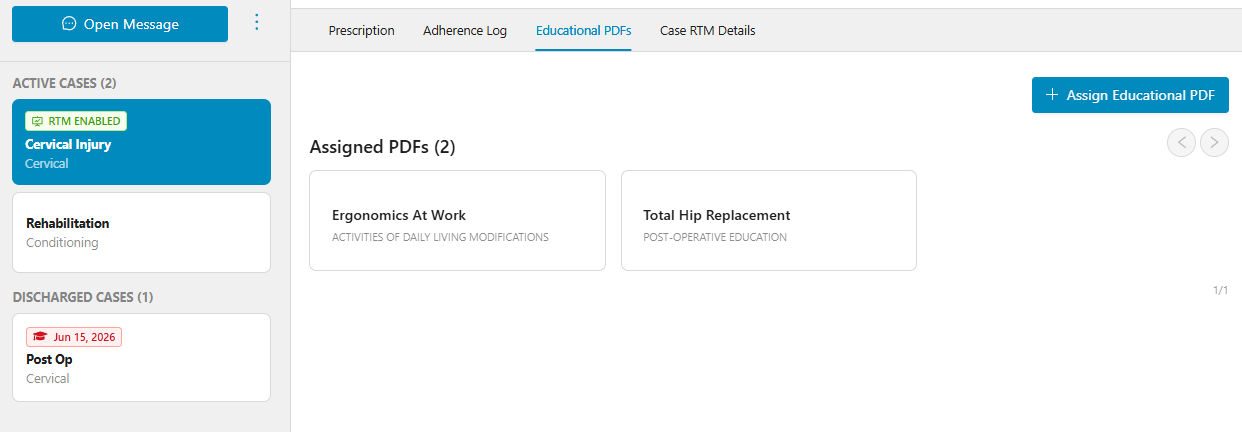
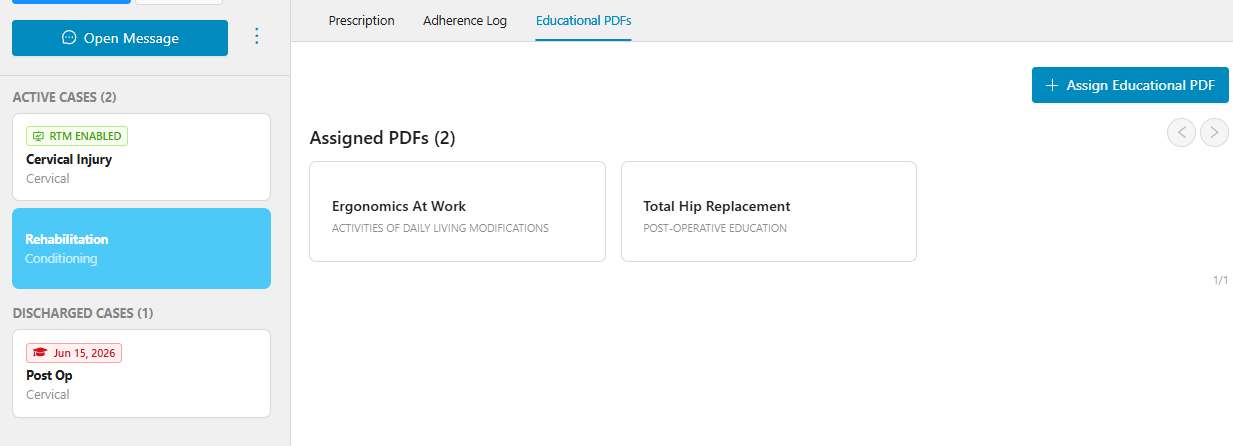
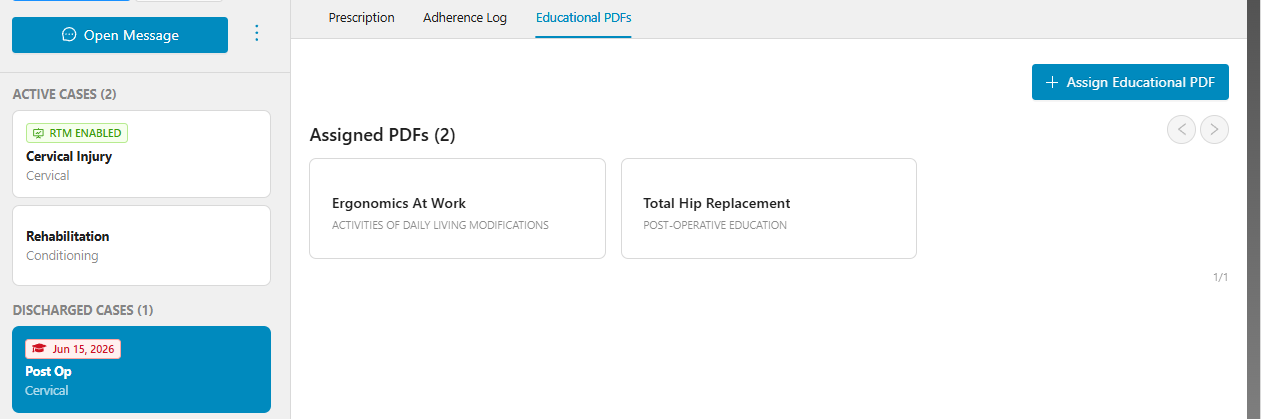
All educational PDFs assigned to the patient will remain at the patient-level, meaning they would exist on all Cases.
Case Updates
Cases are managed exclusively within Prompt EMR. Creating, editing, or deleting Cases is not supported in Engage.
Any Case changes made in Prompt EMR - including RTM Status, Case information, Discharge status, and other supported updates - will automatically synchronize to Engage in real-time.
Why this changed:
🌟 This workflow prevents data mismatches between Prompt EMR and Engage, ensuring RTM eligibility, billing workflows, patient synchronization, and reporting remain consistent across both platforms.
Discharged Cases
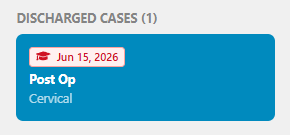
- Cases can only be discharged in Prompt EMR. Once a Case is discharged in Prompt, the associated Case will also be discharged in Engage and a discharged date is then displayed.
- Providers won't be able to Add New Prescriptions for Discharged cases.
HEP access for Discharged Cases
- HEPs for discharged Cases will remain accessible to patients indefinitely.
RTM Data & RTM Billing Behavior for Discharged or non-RTM Cases
- Existing RTM codes remain accessible in Engage.
- Providers can only update the Billing status as Billed or Unbilled.
- If a Case is discharged in Prompt and has eligible RTM codes in Engage, these codes will automatically be marked as 'Not Submitted' in Engage.
- Providers are not allowed to add a Manual RTM time entry once a Case is discharged.
- There is no generation of any RTM Codes once a Case is discharged.
- Engage pulls the initial case therapist from Prompt EMR for the RTM code 98975 documentation.
- The enrollment date should be consistently displayed across the Patient Case Profile, RTM Dashboard, and Patient RTM Details.
- Patients with Inactive RTM Case should not appear on the RTM Dashboard.
Reports
- 'Case Name' column is added to the RTM Codes Billed per Patients Report.
- A new RTM Discharged Cases report is added to the group admin dashboard which includes RTM cases only.
Phase 1 Release Limitations
- With the initial roll out, only newly created patients will automatically be converted to the new Case-level structure.
- Case-level Manual HEP creation in Engage is still allowed at the moment but will not show on the Provider-side UI (but appeara on the patient's end) - a Case ID in Prompt is required for the HEP to show in Engage.
- A warning error will be released on Phase 2.
- Case updates involving Insurances does not automatically sync to Engage.
😉 We recommend only adding patients manually if they do not exist in Prompt EMR. Manually added patients will not be linked for integration workflows.
Future Web & Mobile Enhancements
- Automatic & manual conversion for all legacy patients to the new Case-level structure.
- Handling patients with multiple Cases - there will be a manual HEP to Case association pop-up in a future roll out.
- All HEPs must be explicitly assigned to a Case ID with no partial or temporary unassigned state allowed.
- Case-level support for the patient mobile & web app.
- A way to remove HEP access for discharged patients will be added via the existing 'Enable/Disable' HEP toggle for multiple HEPs in a future roll out.